
Water Damage: What to Do (and What NOT to Do) Right Away

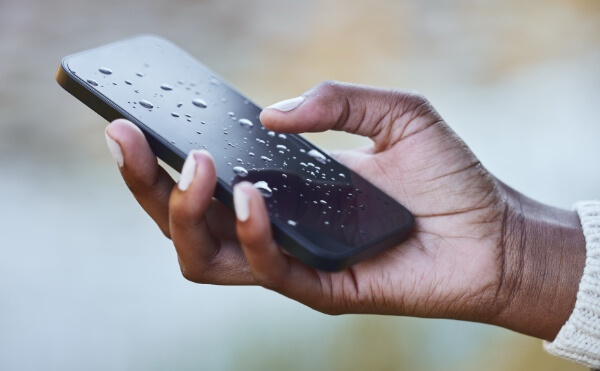
Few things strike panic like dropping your phone, laptop, or tablet into water. Whether it’s a spilled coffee, rain exposure, or a full-on dunk in the sink, water damage is one of the most common (and urgent) electronic repair issues we see at Tech Sync in Mississauga.
The good news? If you act fast — and correctly — you can save your device or at least minimize the damage. The bad news? Many people do the wrong things right after an accident, which can make things much worse.
Here’s your complete guide on what to do (and what NOT to do) when your device gets wet.
1. Act Fast — Time Is Everything
When it comes to water damage, every second counts. The longer water sits inside your device, the higher the risk of corrosion, short-circuits, or permanent component failure.
As soon as your device comes into contact with water:
-
Turn it off immediately. Don’t press extra buttons or try to “see if it still works.”
-
Unplug it from any power source.
-
Remove external accessories like cases, cables, and memory cards.
If it’s a laptop, unplug it and remove the battery if possible. For phones and tablets, skip the battery removal unless it’s user-removable — modern devices are often sealed.
Fast action can mean the difference between a quick cleaning and a full motherboard replacement.
2. DO Remove All External Components
Water often seeps into ports, buttons, and speakers. Gently disconnect or remove everything you can safely detach:
-
SIM card and tray
-
SD card
-
Keyboard (for laptops with removable keyboards)
-
Protective case
These small openings are where moisture can hide — and start corroding your device’s internal parts.
At Tech Sync, we use specialized tools to remove trapped moisture in tight areas and prevent oxidation on circuit boards. The sooner we can open and dry it, the better the recovery chances.
3. DO Dry the Outside (Gently)
Use a lint-free cloth or paper towel to blot any visible water. Focus on ports, speaker grills, and charging areas.
👉 Don’t rub hard — this can push water deeper inside.
👉 Don’t use heat sources (like a hairdryer or oven) — excessive heat can warp or melt sensitive parts.
If possible, keep the device tilted so gravity can help water drain out from openings.
4. DON’T Try to Power It On Too Soon
This is one of the biggest mistakes people make. Even if your phone or laptop looks dry, there may still be moisture inside. Turning it on too early can short-circuit the internal components and permanently damage the motherboard.
Wait until you’ve had a professional inspect it — or at least until it’s been properly dried.
At Tech Sync (Mississauga), we often see devices that could have been saved if only they hadn’t been powered on right after getting wet.
5. DO Use a Gentle Airflow or Dehumidifier
If you can’t get to a repair shop immediately, place your device near a fan or dehumidifier. Gentle airflow helps evaporate trapped moisture more safely than direct heat.
Leave it in a dry, well-ventilated area for at least 24–48 hours before attempting to turn it on.
Avoid leaving it in direct sunlight — excessive heat can damage batteries and displays.
6. DON’T Use Rice (It’s a Myth!)
You’ve probably heard the popular “put it in rice” trick — but it’s one of the most misleading myths in tech repair.
While rice might absorb some surface moisture, it doesn’t remove trapped water or minerals inside your device. In fact, rice particles and dust can get lodged in ports and cause even more problems later.
Instead, use silica gel packets (the little moisture-absorbing packs found in electronics packaging or shoe boxes) if you have them. They’re much more effective than rice.
7. DO Bring It to a Professional (ASAP)
Even if your device seems to work after drying, corrosion can form over time — leading to sudden failures days or weeks later. That’s why it’s crucial to have your device inspected by a technician.
At Tech Sync in Mississauga, our water-damage recovery process includes:
-
Disassembling and cleaning internal components with professional-grade solvents
-
Checking for corrosion or oxidation on the motherboard
-
Testing all ports, buttons, and sensors
-
Replacing damaged circuits or batteries if needed
The earlier we can clean the board, the better your chances of saving it — and your data.
8. DON’T Charge the Device
Even after drying, do not plug it in or charge it until a professional has confirmed it’s safe.
Water can cause hidden short circuits, and connecting it to power too early can fry the charging port, battery, or logic board.
If you suspect water entered through the charging port, avoid inserting any cables until it’s been properly cleaned.
9. DO Watch for Delayed Symptoms
Sometimes water damage isn’t immediately obvious. A device may turn on and seem fine for a day or two before strange issues start showing up.
Keep an eye out for signs like:
-
Flickering display or color distortion
-
Unresponsive buttons or touchscreen
-
Random restarts
-
Muffled audio or microphone issues
-
Battery draining unusually fast
These are often early signs of corrosion spreading inside. Even if your device appears to work, bring it to Tech Sync for inspection to prevent irreversible damage later.
10. When to Replace vs. Repair
In some cases, especially after saltwater or chemical exposure, internal damage can be too severe for full recovery.
If the cost of parts exceeds the device’s value, our technicians at Tech Sync (Mississauga) will always be honest about your options — whether it’s worth repairing, salvaging for data recovery, or replacing entirely.
We can also help you recover important files from water-damaged devices before disposal.
Bonus: How to Prevent Future Water Damage
Once you’ve saved (or replaced) your device, take preventive steps to protect it going forward:
-
Use a water-resistant case or sleeve, especially for laptops and tablets.
-
Avoid using your phone near sinks, pools, or in the rain without protection.
-
Keep a dry bag or waterproof pouch handy when traveling or boating.
-
Regularly back up your data to the cloud or an external drive — so you’re protected even if disaster strikes.
Simple precautions can save you hundreds in repairs down the line.
Why Choose Tech Sync in Mississauga for Water Damage Repair?
Water damage repair requires specialized tools, experience, and precision. At Tech Sync, we use professional cleaning solutions and micro-soldering equipment to safely restore water-exposed devices.
✅ Expert diagnostics and same-day service (in many cases)
✅ Transparent pricing and honest recommendations
✅ Repair services for all major brands — Apple, Samsung, HP, Dell, Lenovo, Asus, Acer, and more
✅ Local service in Mississauga you can trust
Don’t take chances with DIY fixes or unreliable “rice cures.” Bring your device to Tech Sync — and let our professionals handle it the right way.
Water damage can be scary — but it doesn’t always mean the end of your device. The key is acting fast, avoiding harmful myths, and getting professional help right away.
Whether it’s a phone, tablet, or laptop, the experts at Tech Sync in Mississauga can assess, clean, and repair your device safely — often saving both your device and your data.
If your gadget has just taken an unexpected swim, contact us immediately. The sooner we see it, the better your chances of recovery.