
DIY Repairs You Can Safely Try — and When to Call a Pro

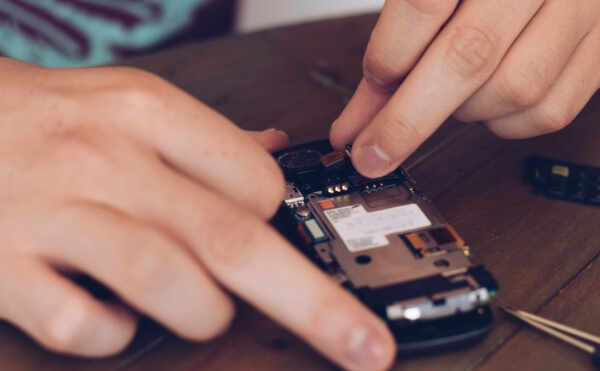
In today’s world, where countless “how-to” videos and repair guides are just a click away, it’s tempting to tackle every device issue yourself. Whether your laptop is acting up, your phone screen has cracked, or your computer is running slow, there’s a tutorial for everything.
But here’s the truth: not every tech issue should be handled at home. Some repairs are safe for DIY, while others can cause further damage — or even void your warranty — if you’re not careful.
At Tech Sync in Mississauga, we often see customers who tried to fix a simple issue themselves, only to end up with a much bigger (and more expensive) problem. That’s why it’s crucial to know when it’s safe to try a repair — and when it’s time to call the pros.
Let’s break it down.
1. Safe DIY Fixes You Can Try at Home
There are a few minor tech issues you can confidently tackle without risking serious damage — especially if you follow guides carefully and use proper tools.
a. Cleaning Your Laptop or PC
Over time, dust builds up inside laptops and desktops, clogging vents and slowing fans. You can safely:
-
Use compressed air to blow out dust from vents and keyboards
-
Gently wipe screens with a microfiber cloth and screen-safe cleaner
-
Remove crumbs or debris from the keyboard
⚠️ Avoid: Opening the laptop’s internal casing unless you know what you’re doing. Internal cleaning (especially near fans or CPU areas) should be left to professionals.
b. Replacing Accessories and Peripherals
If your charger, mouse, or keyboard stops working, replacing them is perfectly safe. Just make sure you:
-
Buy genuine or certified replacements (especially for chargers and batteries)
-
Match voltage and connector types carefully
-
Avoid third-party knockoffs that can damage your device
c. Performing Software Fixes
Before assuming your device is “broken,” check if the issue is software-related. You can safely:
-
Restart your device
-
Update your operating system
-
Uninstall unnecessary programs
-
Run antivirus or malware scans
-
Free up disk space by deleting old files
Many “hardware problems” (like lagging or freezing) are actually software issues that can be fixed in minutes.
d. Replacing Simple Components
Certain parts — like RAM modules, SSD drives, or batteries in older laptops — can often be replaced safely if you follow detailed online instructions.
Make sure to:
-
Use anti-static precautions (like grounding yourself)
-
Refer to your device’s official manual
-
Back up all your data before opening anything
If at any point the process seems unclear or risky, stop and get help from a professional technician at Tech Sync.
2. Repairs You Should Never Attempt on Your Own
While a few DIY fixes are safe, others can cause irreversible damage or safety hazards. Here are the big “don’ts.”
a. Fixing a Cracked Screen
You might find dozens of tutorials online about replacing a cracked laptop or phone screen — but in reality, it’s much trickier than it looks.
Screen repairs often involve:
-
Removing adhesive and tiny screws
-
Handling fragile display ribbons and sensors
-
Realigning digitizers and glass panels perfectly
A small mistake can ruin your screen entirely or damage your device’s motherboard. At Tech Sync (Mississauga), we use specialized tools and calibrated machines to replace screens safely and professionally.
b. Water Damage Repairs
Dropped your phone or laptop in water? Step away from the hair dryer!
DIY methods like rice or heating can actually make the damage worse. Water can corrode components internally even after drying.
The best move?
-
Turn the device off immediately.
-
Don’t try to charge it.
-
Bring it to a professional repair shop (like Tech Sync) as soon as possible.
We use ultrasonic cleaning machines and specialized tools to remove corrosion — something no DIY setup can safely replicate.
c. Motherboard or Power Supply Issues
If your computer won’t turn on, the issue could be a damaged motherboard, power supply, or charging port. These repairs require soldering, component-level diagnostics, and electrical testing — not something to try at home.
A single wrong move can fry your entire system. Professional technicians at Tech Sync have the tools and expertise to diagnose and repair these issues safely.
d. Battery Swelling or Overheating
If you notice your phone or laptop battery swelling, hissing, or feeling excessively hot — do not attempt to remove or puncture it.
Lithium-ion batteries are highly volatile and can catch fire if mishandled. Store the device in a cool, dry place and bring it to Tech Sync right away. Our team can safely dispose of and replace faulty batteries according to environmental and safety standards.
3. How to Decide: DIY or Pro?
If you’re unsure whether a repair is safe to attempt, ask yourself these questions:
✅ Does it involve opening the device?
If yes, leave it to the pros. Internal components are delicate and easy to damage.
✅ Is there a risk of electrical shock or fire?
If power or batteries are involved, professional help is essential.
✅ Would a mistake void your warranty?
DIY repairs can void warranties — check before attempting anything.
✅ Is there data you can’t afford to lose?
Always back up data or let a pro handle repairs to prevent permanent loss.
✅ Do you have the proper tools?
Using kitchen knives or random screwdrivers can cause more harm than good. Tech Sync technicians use specialized repair tools for each device type.
If you answered “yes” to any of these — or even “maybe” — it’s best to bring it in for professional service.
4. Why Professional Repairs Are Worth It
Many people try DIY fixes to save money, but professional service often ends up being faster, safer, and more cost-effective in the long run.
Here’s why:
-
Warranty protection: Tech Sync ensures your repair won’t void manufacturer coverage.
-
Quality parts: We use genuine components with proper compatibility.
-
Expert diagnostics: We identify the root cause instead of just symptoms.
-
Time savings: No guesswork, no repeated trial and error.
-
Peace of mind: Your device is handled by trained professionals in Mississauga.
Our goal at Tech Sync is to help you get your device working like new again — without the risks of DIY mishaps.
5. When to Call Tech Sync (Mississauga)
Bring your device to us if you’re facing any of these:
-
Cracked or flickering screens
-
Water or liquid damage
-
Charging or power issues
-
Overheating or random shutdowns
-
Slow performance or startup errors
-
Battery replacement needs
Our technicians provide fast diagnostics, transparent pricing, and professional repairs for phones, tablets, laptops, and desktops. Whether it’s a minor fix or a major repair, we’ll handle it safely and effectively.
DIY repairs can be rewarding — but only when done safely and within limits. Knowing which problems you can handle and which need expert attention can save your device, your time, and your wallet.
So, next time your tech acts up, start with the basics: clean, restart, update, and check for obvious issues. If that doesn’t help — or if it involves internal components — it’s time to call the pros at Tech Sync in Mississauga.
We’ll make sure your devices are fixed properly, safely, and ready to perform at their best.